|
FortressCL Site Manager allows you to manage FortressCL Site Profiles. Initially, without any profiles created, the Site Manager looks like the following:
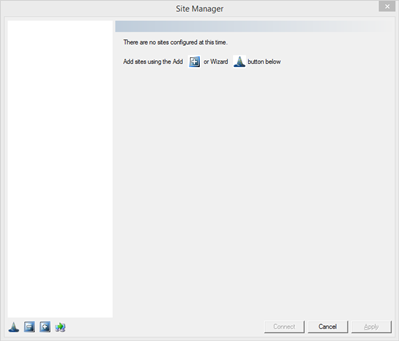
A new site can be added using either the Add Site button  or the Connection Wizard button or the Connection Wizard button  . .
If the Wizard is used, then the new site will be added with all the fields filled from the wizard. If the Add button is used then an empty site will be added with the name "New Site". Fill all the pages with the appropriate information.
Button Explanations
|
|
Wizard
|
Run the connection wizard
|
|

|
Remove Site
|
Remove the hilighted site
|
|
|
Remove Site
|
Create new site and manually fill fields
|
|

|
Copy Site
|
Create a new site using the settings form the hilighted site
|
See Also:
Connection Wizard
Site Page
Authentication
Cipher
MAC
Misc
|