|
Pragma TelnetServer Manager Users page is used to give different configuration to users, and to restrict access to only the users listed. This page is not designed to create users for access to the server. All users with valid Windows accounts, with Log on Locally rights are allowed access to the server by default. This page is to configure what will happen when the user connects to the server.
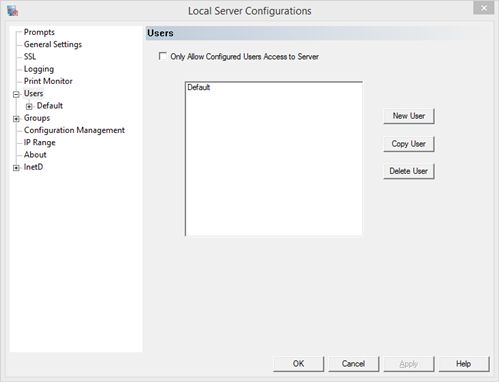
Default User - the configuration for all users not explicitly configured
As new user or group configurations are created, they will take the settings of the Default user. This user cannot be removed. Any user that is not explicitly configured will take the configuration settings of this user. If the option to "Allow only configured users access to the server" or "Allow only configured groups access to the server" the Default user configuration will not be used by anything other than storage of settings for new users or groups as they are created. The exception to this is the Idle Session Timeout value which is used for sessions sitting at the logon prompt.
When creating a new user or copying an existing user, the user dialog will open. Enter the user name and domain, exactly as it appears within the session. The best way to match these values is to log on to the server with the user credentials and compare the USERNAME and USERDOMAIN environment variables. Local users can use either a blank or the machine name as the domain.
New User - create a new user
Copy User - copy the select user configuration
Delete User - delete the selected user configuration
Only Allow Configured Users Access to Server
This option restricts access to the server to only users who have been listed on this dialog.
NOTE: If both the restrictive check boxes for Users and Groups are checked, then a user must be both a configured user and a member of a configured group; not just one or the other.
|