|
Use the User hand held page to configure settings that are helpful for RF connections. These settings are not only for hand held device connections.
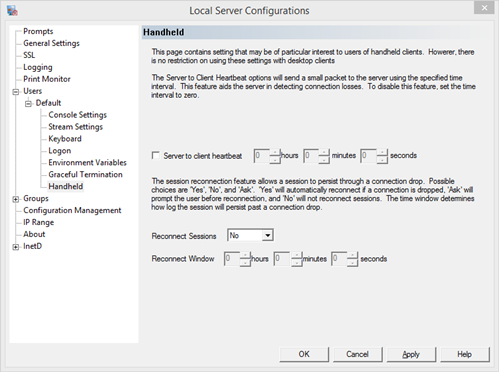
Server to client heartbeat - signal the client to confirm connectivity
The server to client heartbeat will signal the client through the network level to check for an open connection. No response is required by the user, the client should respond to the heartbeat.
No heartbeat will be sent if the time configuration is zero (0).
A network error will cause the session close immediately, without a heartbeat signal.
An event is recorded in the event log if a session is closed due to no response to the server heartbeat.
TIP: If a server heartbeat is active and a client disconnects at random times, turn off server heartbeat to see if the session remains open. If it does, the client does not support the heartbeat feature.
Reconnect Sessions - allow sessions to reconnect to a prior connection dropped by the client
A session can be reconnected if it dropped due to a network error or a server heartbeat failure. The session will remain active for the configured period of time, allowing the user to reconnect and return to the session. The sessions are matched by username, domain and IP address.
To use the reconnect feature, select the drop down box to either Yes or Ask.
Yes - Always reconnect
No - Never reconnect
Ask - Prompt user to reconnect
The reconnect window time sets how long the server will wait for a new connection. A value of zero will close the server immediately, preventing any reconnection.
|