|
Changes made under the Pragma Enterprise Push Configuration program will NOT modify the current server settings. To make changes to the local server, use the Local Server Configuration program.
Pragma Configuration Server is a master configuration program to deploy server settings to remote machines installed with any of the Pragma servers. The master configuration can be modified locally or pulled from the settings of another machine where at least one Pragma servers is also installed.
When Pragma Configuration Server is first opened, the local settings are copied and set under the Default branch, and the deployment page is displayed. The "Default" branch is set up just like the Local Server Configuration program. For specific configuration instructions under the "Default" branch check the specific page instructions in the Help File.
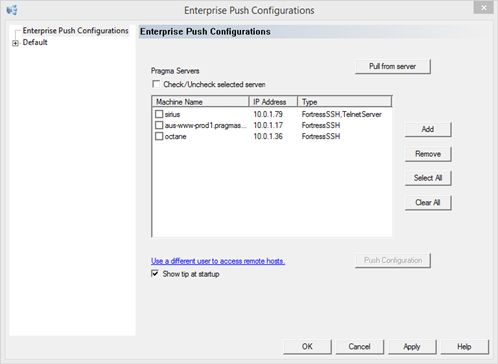
To load a setting to the configuration other than the local server, use the Pull from server button.
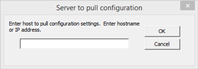
Enter the name or IP address of the system with the desired configuration. The program will pull the settings and copy them to the Default heading.
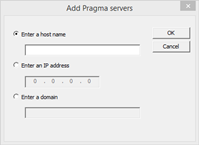
Use the Add and Remove buttons to list the Pragma servers within the network for deployment. The Add button will open the below dialog. Enter either a host name or IP of a single system, or a domain to add all servers with a Pragma Server installed. Querying the domain may take some time as the program is doing a query of each system in the domain to check for installation of a Pragma Server.
After adding the Pragma server machines, click on the check boxes next to the machine name, as shown below, to select the machines where the configurations will be deployed. Please note that the configurations will be pushed out ONLY to machines that have been selected using the check box.
When removing servers from the list, the server must be selected, not checked. If no server is selected an error dialog will be displayed.
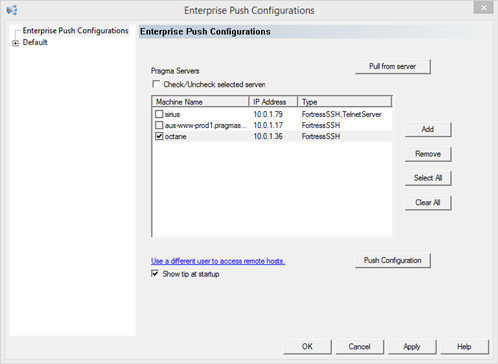
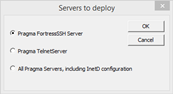
After selecting the machines, use the Push Configuration button to push out the configurations. The "Servers to deploy" dialog, shown below, provides the option of pushing out configurations for just the Fortress SSH Server / Pragma TelnetServer or pushing out all configurations including the Pragma InetD configurations.
Pushing the InetD Service configurations to a system may damage the system, if the wrong server configuration is pushed to the server. The InetD Service should not normally be pushed.
If a configuration is pushed to a server that does not have the proper server installed, the configuration will not be pushed and an error will be reported in the status log.
After deployment, a status dialog will show the totals for successful and failed deployment. A detailed log can be viewed by clicking on the View Log button. The log file contains the following: start and end times, the listing of each machine requested to be deployed and the success and failure of that deployment. If there is a failure, an error explanation will be provided. The log files are saved in the \Shared Files directory of the local Pragma installation folder and named ServerPushxxxxxx, where xxxxxx is the time of the deployment.
|