|
Telemote Server Management
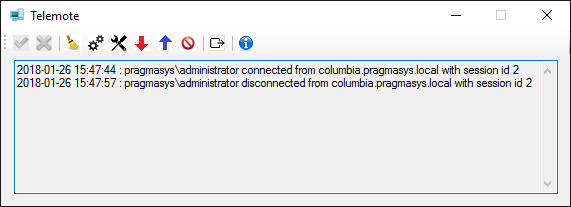
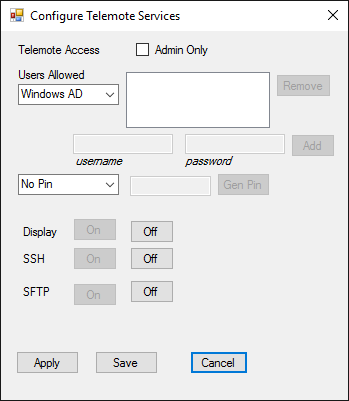
TelemoteTray.exe app is provided to manage server side settings of Telemote.The tray application is started automatically when a system reboots or after install. Look for it in the tray bar of the system. Click the two-wheeled settings icon to configure Telemote services. Telemote Access can be limited to 'Admin Only" by checking the box allowing only administrators to access that system. Unchecking the "Admin Only" check box will allow user level accounts to access but they still have to provide correct credentials. Access can be limited to all Windows Active Directory users or limited to certain set of people. Choose "Limit to Users" from "Users Allowed" drop box to limit access to a set of people. Provide domainname\username and password of people in that case. These username and password provided can be real Active Directory users, local machine users or username & password that you create on your own for complete personal privacy. Access can also be limited by just a PIN. Three telemote services can be turned on or off: "Display" is the remote screen service, SSH is the command line service and SFTP is the Secure File Transfer service. Use the Apply or Save button to make any changes effective.
|