|
Use the Logging page to set options to create log files for each session.
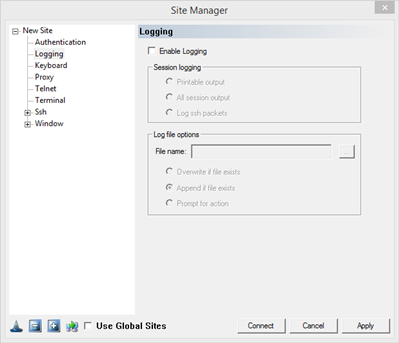
Enable Logging: Check this box to create a log file for the session.
Session Logging: select how much information is written to the log file.
Printable output: log only data received from server that is readable by a human. Use this feature for information retention.
All session output: log all data received from the server. special characters will be written as the ASCI code. Use this option to troubleshoot printing, bell, or formatting issues.
Log ssh packets: log the packets after decryption as they are received from the server. Use this option to troubleshoot ssh protocol errors.
Log File Options:
File name: Configure the file with full path for logging. Choose an option to set how the file will be treated at each new connection
Overwrite if file exists: Overwrite old files. All prior session information will be lost.
Append if file exists: Add new session logging to end of existing log file, retaining prior session information
Prompt for action: Before the log file is created, the user will be prompted as to whether append or overwrite any existing file.
|