|
Use the Access Control page to grant or restrict access to a sub-system of Pragma Fortress SSH Server.
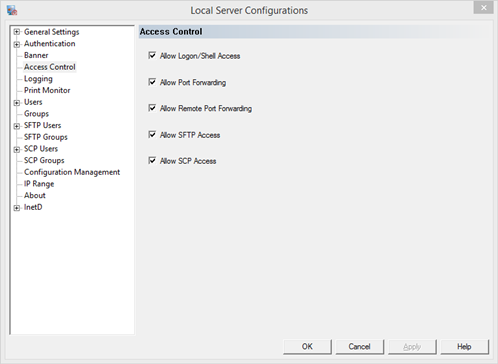
Allow Logon/Shell Access
Allow users to SSH to the server, logon, and get access to a user shell. The user shell is configured under either the Console Settings or Stream Settings pages, depending on the Screen Mode selected.
Allow Port Forwarding
Allow users to open additional ports on the client for secure tunneling. The forwarded ports are assigned via the client. Check client syntax for how to forward ports. Any data forwarded to the local port will transport to the server through a secure channel. Port Forwarding is ideal for securing the data that must be sent with an unsecured protocol, such as telnet.
Allow Remote Port Forwarding
Allow users to open additional ports on the server for secure tunneling. The forwarded ports are assigned via the client. Check client syntax for how to forward ports. Any data forwarded to the remote port will transport to the client through a secure channel.
Allow SFTP Access
Allow users to connect to the server via sftp clients for sftp file transfer. To deny all SFTP access turn this option off.
Allow SCP Access
Allow users to connect to the server via scp clients for scp file transfer. To deny all scp access turn this option off.
|