|
Use the Color Setup dialog to set up background and text colors in FortressCL. Click on the Options menu and select the Color Setup option. The Color Picker dialog will appear. To set background color, click on the button Background Color. To set text color, click on the button, Text Color.
NOTE: There is a small window on the Color Picker dialog that allows you view your background and text color combination.
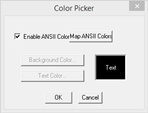
To enable ANSII Coloring, click on the ANSII Coloring check box. Having this feature enabled means the client will interpret colors as they are received from the server.
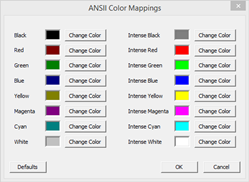
Map ANSII Colors: To change the colors that are displayed by the ANSI sequence sent by the server.
Clicking on the Background Color / Text Color button which will open the following Color dialog:
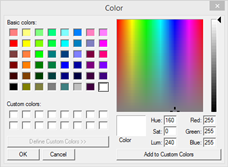
The options chosen in this dialog will apply to all sessions.
|