|
Set user preferences for the following:
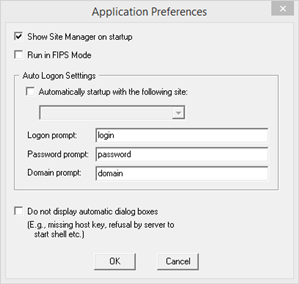
Show Site Manager on startup: Click on this option for the Site Manager to come up every time FortressCL is launched.
Run in FIPS Mode: Allow only FIPS compatible configurations and connections. Checking this box will disable all non-FIPS compliant features.
Automatically startup with the following site: Enable this option and enter the name of the site so that whenever FortressCL launched, it will automatically connect to this site.
Do not display automatic dialog boxes: Do not open dialog boxes that display error messages from server.
|