|
Use the color page to assign screen colors unique to this connection. This page will override the default settings configured under the Options -> Color Setup dialog.
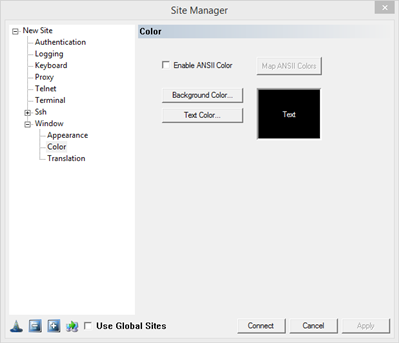
To set background color, click on the button Background Color. To set text color, click on the button, Text Color.
To enable ANSII Coloring, click on the ANSII Coloring check box. Having this feature enabled means the client will interpret colors as they are received from the server.
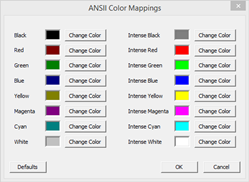
Map ANSII Colors: To change the colors that are displayed by the ANSI sequence sent by the server.
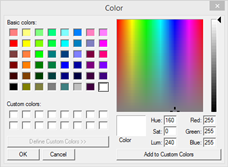
Clicking on the Background Color / Text Color button which will open the following Color dialog:
|