|
For FortressFX Options, click on the Tools menu and select Options.
The following connection options are available:
General Options:
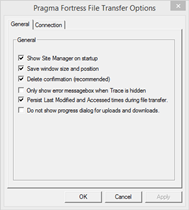
Show Site Manager on startup - Open Site Manager dialog when program first runs
Save window size and position - Open program in same window size and position as when last ended
Delete confirmation (recommended) - Prompt for deletion of local and remote files.
Only show error message box when Trace is hidden - Prompt with dialog boxes only if Trace window is closed. Otherwise error messages will always be displayed.
Persist Last Modified and Accessed times during file transfer. - After files are transferred, set the modified and access times to match the original files.
Do not show progress dialog for uploads and downloads. - Transfer files without progress dialog.
Connection Options:
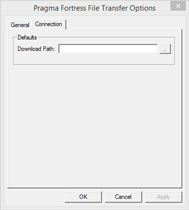
Defaults:
Download Path - the default download directory for a newly created profile. This setting will also be used if no directory is specified in the download path for the profile.
|